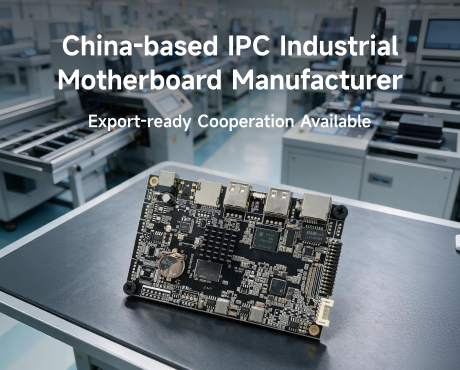
Digital signage Android motherboard: Custom development for commercial display products
A digital signage Android motherboard runs the operating system, content application and display interfaces inside an advertising player or integrated screen. Wanlin supports custom development discussions for overseas display brands, signage integrators and trade partners that need the board, Android software and enclosure to work as one product.
Development can address panel and touch integration, connector placement, PCB changes, drivers and a controlled Android image. For a retail window display, that may mean portrait playback and enclosure fit. For a menu board, it may mean validating scheduled content and recovery with the customer's CMS. Each project starts by identifying what an existing platform can provide and what needs adaptation.
Wanlin Group publishes engineering resources under the WanlinSBC identity and links to AndroidSBC as its product main site. Its company facts and manufacturing process identify the business and development scope. Send your signage product requirement to Androidsbc@163.com to discuss a suitable route from evaluation to manufacturing.
Read in 90 seconds: From a signage product brief to a developed motherboard
Who the service is for: Display manufacturers, advertising player brands, signage integrators and overseas trade partners developing commercial screens around a defined combination of hardware and software.
Where development begins: A requirements review should establish workload, interfaces, mechanical constraints, Android dependencies, production forecast and delivery market before a processor is selected.
What can be discussed: Existing-platform adaptation, custom hardware, BSP and peripheral integration, prototype verification and production preparation. The quotation should identify the actual work and deliverables.
What the buyer receives: Deliverables should be agreed by milestone, including design-review documents where contracted, samples, software releases, acceptance records and manufacturing information.
How to start: Send the product brief, enclosure drawing, panel documents, peripheral list and application package. Include the target schedule and quantity so feasibility and development scope can be reviewed together.
Customization scope: What can Wanlin develop for a signage product?
Wanlin's published engineering scope covers motherboard development and Android adaptation. A useful project proposal connects each requested change to an agreed deliverable, rather than treating every possible feature as standard.
- Display integration: Review panel documents, connector definitions, timing and orientation. Agree the interface drawing and the panel configuration to be demonstrated.
- Touch adaptation: Define the controller, firmware and coordinate mapping. Validate touches at screen edges and after rotation.
- Mechanical and PCB work: Review board outline, mounting, cable clearance and required connector changes. Establish drawing and design-review milestones where hardware work is included.
- Android software: Specify driver changes, boot branding, launcher, permissions and application installation. Identify the software build and expected startup behavior.
- CMS integration: Supply the content-management application and dependencies. Validate enrollment, media playback, monitoring and reconnect behavior with that release.
- Recovery and updating: Define the customer's service policy, update authority and recovery method. Include test cases for interrupted updates where applicable.
- Manufacturing preparation: Agree programming, functional checks, product identification and approved configuration records for repeat orders.
The agreed proposal determines which of these tasks Wanlin undertakes and which remain with the equipment brand, CMS provider or local integrator.
Signage integration: Separate the motherboard, Android and CMS responsibilities
A successful signage player depends on three layers: the motherboard provides the electrical and computing platform; the Android BSP enables its hardware; the CMS application controls content, campaigns and device management. Custom development should identify the responsible layer before changing the PCB.
For example, enough storage does not by itself guarantee offline playback. The CMS must cache the required media and schedule, Android must preserve the application's working environment, and the complete device must recover as specified after power or network interruption.
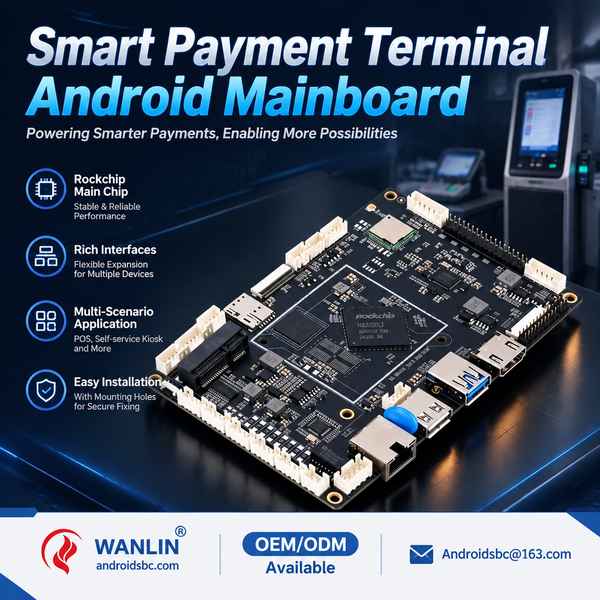
Root-cause analysis: Five gaps to resolve before development starts
- An incomplete product brief: A processor name does not describe the software workload, peripherals or environmental conditions.
- Missing interface documents: Connector names alone leave pinout, voltage, timing and cable requirements unresolved.
- Undefined software ownership: Customers need to know who maintains the application, BSP and update service.
- Unmeasured acceptance: Words such as fast and stable need project-specific pass criteria.
- Unclear release control: A working sample needs an identified hardware and firmware baseline before production.
Development routes: Configuration, platform adaptation or a custom PCB?
Choose the least extensive route that satisfies the product requirement. A platform-based approach may preserve a proven starting point while addressing the interfaces and software that distinguish the equipment.
- Configuration: Review available memory, storage, display settings and software options.
- BSP adaptation: Evaluate the required drivers, permissions, startup behavior and application integration.
- Interface adaptation: Assess whether a peripheral or connector change requires revised hardware.
- Custom PCB development: Define the board outline, signal allocation, power design and review deliverables.
- Private-label product preparation: Agree logos, identifiers, packaging and provisioning responsibilities.
- Production transfer: Establish accepted samples, release files and manufacturing controls.
Wanlin describes hardware development and BSP work in its motherboard development process. Engineering fees, design ownership and software deliverables should be itemized before work begins.
Development example: A portrait retail signage product brief
Consider a proposed window-facing advertising display with portrait content, remote CMS management and an enclosure that cannot accept a standard connector arrangement. The following is a development planning example, not a completed customer case.
| Customer problem | Development work to scope | Acceptance evidence |
|---|---|---|
| Panel and touch must work in portrait | Timing, rotation and touch mapping | Approved panel and touch tests in the installed orientation |
| Cables clash with the enclosure | Connector placement and PCB change review | Mechanical fit and cable-clearance inspection |
| Campaign must continue without internet | CMS cache and reconnect behavior | Network-loss test using the intended playlist |
| Player must recover after power loss | Startup, app launch and content recovery | Repeated interruption test with an agreed recovery target |
| Future orders must match the pilot | Hardware and image release control | Approved BOM, revision and software identifiers |
The proposal should resolve each row before volume release. This makes the development scope understandable to the overseas buyer and reviewable by the manufacturer's engineering team.
Technical specification: Define the digital signage Android motherboard requirement
The development specification should state required behavior and constraints. The following table is an enquiry framework, not the specification of a finished model.
| Block | Information to define |
|---|---|
| Processor platform | Application workload, graphics, media, AI and software requirements |
| Operating system | Required Android release, kernel baseline and application dependencies |
| Memory and storage | Application usage, media library, logs and update reserve |
| Displays | Panel part numbers, interfaces, resolution, orientation and output topology |
| Peripherals | Device part numbers, protocols, electrical levels and concurrency |
| Networking | Wired or wireless needs, installation conditions and network restrictions |
| Mechanics | Outline, mounting, connector clearance and service access |
| Power and temperature | Supply limits, peripheral loads, environment and enclosure cooling |
| Security and servicing | Provisioning, permissions, update authority, recovery and support scope |
| Commercial constraints | Prototype quantity, forecast, target cost, market and schedule |
Wanlin's platform guide identifies RK3566 and RK3568 as candidates for mainstream display and control projects, with RK3576 and RK3588 considered for more demanding workloads. Selection still depends on the complete requirement; this is not a promise of any specific output capability or Android release.
Playback and Android development: What must a signage sample demonstrate?
Use the real CMS, media library, panel and network conditions. Agree measurable pass criteria before testing; no single benchmark or processor name proves that the finished signage product is ready.
| Signage requirement | Work to define | Acceptance evidence |
|---|---|---|
| CMS compatibility | Android dependencies, permissions and enrollment | Enrollment, playback and monitoring on the named CMS release |
| Portrait playback | Output rotation, application layout and touch mapping | Actual content and touch tests in each required orientation |
| Offline operation | CMS asset cache, local schedule and reconnection | Network-loss test covering the agreed campaign duration |
| Scheduled operation | CMS schedule, clock handling and any required board power controls | Transitions across specified times and power states |
| Playback records | Application logging, retention and upload | Logs matched to the test playlist and interruption events |
| Power recovery | Board startup, Android boot and application relaunch | Repeated tests using the intended supply and media set |
| Remote updates | Signing, deployment channels and recovery | Documented update and interrupted-update tests |
| Multiple displays | Mirrored, independent or synchronized output requirement | Actual panel topology tested on the selected configuration |
Independent displays and synchronized video walls are different requirements. Independent outputs can present different content; a video wall may also need coordinated frame timing and application or controller support. Multiple connectors alone do not establish either capability.
Wanlin's Android BSP guide describes board adaptation, display and peripheral work, release control and update planning. Playback logs and content schedules normally require CMS participation; they should not be advertised as automatic motherboard features.
Interface layout and lane map: PCB design decisions to settle before layout
- Verify panel voltage, pinout and cable length.
- Check mounting holes against the enclosure.
- Allocate touch and USB peripherals.
- Confirm serial electrical levels.
- Keep network connectors accessible.
- Reserve antenna clearance where required.
- Document the recovery connector.
- Test simultaneous display behavior rather than assuming it from connector count.
Power, thermal and enclosure performance: Design against the complete equipment load
Window-facing signage requires an enclosure-level thermal assessment because the panel, backlight, electronics and installation conditions affect the internal environment. Define the intended ambient range and workload before selecting the cooling arrangement.
Request input limits and the power budget for the quoted configuration. Include panel, touch, USB devices and any optional radio in peak-load testing. Use the intended power adapter and cables for restart tests.
A board temperature listing does not establish performance in every sealed display. Window-facing screens and enclosed menu boards need evaluation under their intended airflow and workload. Record ambient conditions, mounting and test duration so the assessment can be repeated.
Assembly and integration notes: Seven controls before production release
- Approve a reference sample assembly.
- Record board revision and firmware build.
- Inspect cable retention before enclosure closure.
- Keep power-accessory specifications with the BOM.
- Document factory reset and CMS enrollment.
- Agree packaging and shipment inspection criteria.
- Use fault reports containing serial number, logs and reproduction steps.
Application matrix: Where digital signage motherboard customization adds value
| Application | Customization requirement | Validation focus |
|---|---|---|
| Digital signage players | Media workload, CMS and enclosure fit | Playback, scheduling and recovery |
| Interactive signage | Touch and display integration | Navigation and content response |
| Retail window displays | Portrait content and enclosure fit | Playback, temperature and recovery |
| Lobby directories | Portrait display and touch mapping | Readability and interaction accuracy |
| Restaurant menu boards | Scheduled menus and networked content | Schedule accuracy and offline playback |
| Transport information displays | Live information and fallback content | Data refresh and network reconnection |
| Elevator advertising screens | Compact installation and local media | Mounting, playback and service access |
| Private-label device families | Shared platform with controlled variants | Variant identification and software compatibility |
These are applications for requirements review, not blanket certifications or claims that one board fits every use case.
Custom development workflow: Eight gates from concept to volume manufacturing
- Requirements baseline: Agree the product, interfaces, environment and measurable acceptance criteria.
- Feasibility and platform selection: Resolve software maturity, component availability and integration risks.
- Development quotation: Separate engineering, tooling, samples, software scope and recurring board cost.
- Design review: Review schematics and layout where contracted, mechanics, power and interface allocation.
- Prototype bring-up: Identify hardware issues and establish the initial BSP and driver baseline.
- Engineering validation: Test the actual application, peripherals, restart behavior and operating conditions.
- Pilot production: Check assembly, programming, functional fixtures, packaging and issue closure.
- Controlled release: Approve the configuration, production image, manufacturing documents and change process.
Request a milestone schedule rather than a single unsupported development deadline. Hardware complexity, component sourcing, driver readiness, customer sample feedback and design changes can affect timing.
What should the digital signage motherboard supplier quote? Request separate engineering charges, prototype costs, recurring board price, tooling and software deliverables. State the sample quantity, production forecast and approval dependencies. Define design-file rights, warranty, change-request handling and lifecycle responsibilities in writing.
What should an importer verify? Match the supplier identity, model and revision, sample report, offered software scope and applicable conformity records. Factory sourcing is most useful when the quotation can be traced to an approved configuration and a responsible engineering contact.
For overseas delivery, also agree the named delivery place, freight responsibilities, shipment documents and configuration-specific compliance evidence. Confirm warranty, return authorization and software escalation alongside the production agreement.
Development cooperation: Responsibilities for brands, integrators and trade partners
| Dimension | Customer or overseas partner | Manufacturer discussion point |
|---|---|---|
| Product definition | Use case, cost target and market | Feasible hardware and software route |
| Integration | Panels, peripherals and application samples | Interface and BSP adaptation scope |
| Design ownership | Required files and usage rights | Contracted deliverables and restrictions |
| Validation | Equipment-level acceptance criteria | Sample testing and issue closure |
| Manufacturing | Forecast and release approval | Configuration control and inspection |
| Support | Field information and application maintenance | Hardware and BSP escalation agreement |
Overseas traders and sourcing agents can coordinate custom projects by collecting requirements and connecting the customer's engineering team with the manufacturer. Agree confidentiality, customer protection, design-file ownership and communication responsibilities before development begins.
Customer evaluation and feedback: Review the engineering evidence
Ask whether a relevant, permission-based reference can be shared for a comparable interface or software requirement. A useful reference explains what was developed, how acceptance was completed and how later changes were managed. No customer endorsement or measured project result is claimed here.
Development acceptance should identify the hardware revision, software build, tested devices, observed limitations and agreed corrective actions.
Recommended project-review criterion, not a customer testimonial.
After a pilot, collect factual feedback from the customer's engineers and installers. Use that record to improve the next release and obtain permission before publishing an attributed case study.
Frequently asked questions
Can Wanlin customize a digital signage Android motherboard for our display?
Answer: Wanlin publishes hardware development and Android adaptation services. Submit the panel, enclosure, interfaces and application for feasibility review. The proposal should identify required changes, deliverables and acceptance milestones.
Can our existing signage CMS run on the board?
Answer: Provide the CMS release, installation package, Android dependencies and device-management requirements. Validate enrollment, media playback, permissions and reconnect behavior on the proposed sample before approving production.
Can the signage player continue working without internet?
Answer: Offline behavior depends on the CMS cache, local scheduling and system configuration. Agree the required offline period and test with the intended campaign rather than assuming storage capacity guarantees continuity.
Can you adapt portrait displays and touch panels?
Answer: Display timing, orientation and peripheral adaptation are within Wanlin's published BSP discussion scope. Supply panel and touch documents so the exact implementation and test criteria can be defined.
Does a multi-output board automatically support a synchronized video wall?
Answer: No. Specify mirrored or independent output separately from frame synchronization. The chosen hardware, firmware, application and any external controller must be evaluated against the required wall topology.
Do we need a new PCB for every customization?
Answer: No. Existing-platform configuration or BSP adaptation may be sufficient. Mechanical or electrical changes may require revised hardware; compare the routes during feasibility review.
What determines cost, lead time and software deliverables?
Answer: PCB changes, component availability, driver readiness, prototypes and validation affect the proposal. Request itemized costs and milestone dates, and explicitly agree design files, source-code scope, signing-key control and support terms.
Can overseas traders and integrators coordinate development?
Answer: Yes. Provide the end-customer requirement and agree confidentiality, customer protection, engineering contacts, approval authority and after-sales responsibility. Local service and export coordination can be defined alongside the manufacturing scope.
Start your custom digital signage Android motherboard project: Send the equipment requirement
Wanlin invites overseas brands and project partners to develop digital signage Android motherboards around the screens and advertising players they need to build. Wanlin's public engineering process connects requirements review, hardware work, BSP adaptation, prototypes and production preparation. Use that process to agree a configuration that can be evaluated and reordered, with the scope and responsibilities recorded in the project documents.
Suggested email subject: Digital Signage Android Motherboard Development - [Application] - [Country]. Include the product brief, enclosure drawing, panel and touch details, peripheral list, Android application requirements, prototype quantity, production forecast and target schedule.
Email: Androidsbc@163.com
Export service hotline: +8613261677119
Website: https://www.androidsbc.com
Published by: Wanlin Group
Published on: November 2, 2026
Company address: Wanlin Group, Building B, Building 1, Beisida Medical Device Building, 28 Nantong Avenue, Baolong Community, Baolong Sub-district, Longgang District, Shenzhen, Guangdong, China
Source note: Development descriptions are based on public manufacturer engineering resources. Development examples and acceptance frameworks are guidance; final capabilities and commercial terms depend on the agreed project.
References: Company identity; Motherboard development process; Android BSP customization
Contact: Email: Androidsbc@163.com | Export service hotline: +8613261677119 | Website: https://www.androidsbc.com