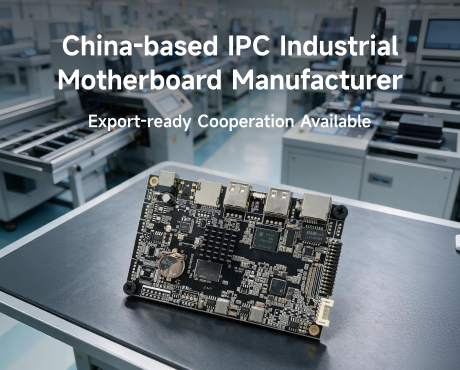
Digital Signage Android Motherboard Development | Wanlin
Development scenario: From an Italian display requirement to an integrated board design
Digital signage Android motherboard development connects the computing platform, display interfaces, Android software and equipment enclosure into a board configuration designed for the application. Wanlin Group in Shenzhen supports hardware design, BSP and driver adaptation, and peripheral integration for overseas equipment brands, signage integrators and importers. Discuss your development requirements with AndroidSBC to define a practical engineering and export supply plan.
Who supplies the board? Wanlin Group is the Shenzhen-based organization behind the WanlinSBC product and engineering website. Its published scope covers industrial Android boards, embedded SBCs, custom motherboard development and BSP adaptation. AndroidSBC is the export-facing contact identity and main website used in this article. See the company identity and engineering scope.
The development example below uses a Milan partner planning retail-window and restaurant-menu equipment. It illustrates an engineering approach rather than a completed customer installation. The aim is to show how display, software and enclosure requirements become a development scope and a usable production baseline.
Read in 90 seconds: What Wanlin can help develop
Hardware: Discuss board dimensions, connector locations, interface allocation and power requirements against the equipment drawing. The purpose is to make the computing board fit the product rather than force the enclosure around a catalogue layout.
Display integration: Bring panel timing, cable definitions, touch documents and actual samples into the engineering review so that the display stack can be evaluated together.
Android adaptation: Define drivers, startup behavior, launcher, application permissions and update policy. These turn a demonstration image into software suited to the intended operating process.
Development delivery: Agree the hardware baseline, evaluation firmware, samples, test records and production release package. Deliverables and ownership are set in the project agreement.
International cooperation: Wanlin welcomes equipment brands, signage integrators and export partners. Local partners contribute installation knowledge and first-line service; the development scope links their application needs to engineering outputs.
Product overview: A digital signage Android motherboard designed around the equipment
A digital signage Android motherboard runs the signage application and connects the display, storage, network and peripherals. Custom development aligns those elements with a specific enclosure, content workload and service process. It can involve adapting an existing platform or designing hardware where the existing layout cannot meet the requirement.
- Mechanical integration: Review mounting positions and cable access to support a practical assembly layout.
- Display integration: Match electrical interfaces and timing to the chosen panel.
- Peripheral adaptation: Evaluate touch, audio, USB and serial devices with the intended drivers.
- Application startup: Define launcher and permission behavior so the signage application starts as intended.
- Content continuity: Design application caching and recovery around the expected network conditions.
- Maintainability: Provide an identified firmware release and an agreed recovery procedure.
- Repeatable supply: Connect production orders to the approved hardware and software baseline.
Integration challenge: The integration gap a pilot should catch
In this scenario, the importer initially considers approving a board after a short video demonstration. The intended deployment also requires portrait orientation, scheduled menu changes and a remote CMS agent. A demonstration clip does not establish that these functions will operate together inside the finished enclosure.
The corrective action is a local pilot using the production panel, application, cable set and network conditions. Approval should follow recorded results rather than a processor label.
Root-cause analysis: Why a catalogue match is not installation acceptance
A matching connector name does not establish panel timing compatibility. An Android release label does not establish application permissions. Open-bench stability does not establish enclosed thermal performance. A working sample does not establish reorder consistency unless its configuration is recorded.
For an intermediary, these gaps affect installation cost and customer support. Link the quotation and purchase order to an approved model, PCB revision, firmware identifier and cable definition.
Custom development services for digital signage equipment
Wanlin supports application-driven hardware and Android software work. For a thin display enclosure, connector placement and cable routing become hardware design inputs. For a touch directory, panel timing and touch-controller behavior become integration inputs. For an unattended advertising player, startup, permissions and recovery become software design inputs. The value of development is a configuration that addresses the equipment requirement with identifiable engineering outputs.
Choose the smallest change that solves the problem. Keep the standard board when panel, connectors and software pass acceptance. Choose BSP work when the hardware fits but a driver, startup policy or application integration needs adaptation. Request custom PCB work when connector position, electrical interfaces, dimensions or power architecture cannot meet the equipment requirement.
For BSP work, define the firmware build, supported peripherals, release notes and recovery procedure as deliverables. For custom hardware, add the approved drawing, interface table, BOM baseline and prototype acceptance record. Source files, SDK access, licensing and maintenance responsibilities belong in the engineering agreement rather than being assumed.
The Wanlin Android BSP engineering guide describes display timing, driver adaptation, boot presentation, kiosk behavior, application permissions and update integration as possible development work. The agreed implementation depends on the selected hardware and project scope.
Scenario comparison: Turning equipment requirements into development outputs
For the illustrative Milan display family, the proposed development outputs below connect an application need to a reproducible configuration. They are engineering targets rather than measured customer results.
| Dimension | Application need | Proposed development output |
|---|---|---|
| Identity | Generic board description | Approved model and revision |
| Playback | Demonstration video | Production playlist acceptance |
| Display | Connector list | Panel, timing and orientation approval |
| Network | Recovery unknown | Offline and reconnection results recorded |
| Service | Informal support expectation | Local replacement and escalation procedure |
| Reorders | Verbal configuration | Released purchase baseline |
Specifications: RK3568 reference platform for development planning
The published digital signage motherboard entry lists the configuration below. These are supplier-published catalogue specifications, not independent test results or a promise that every variant includes every option. This table describes a reference platform, not the fixed specification of every custom design. Each development brief should identify retained features, changed interfaces and new validation requirements.
| Item | Published catalogue specification | Selection implication |
|---|---|---|
| Processor | Rockchip RK3568, quad-core Cortex-A55, listed at 2.0 GHz | Evaluate the actual playlist and concurrent application workload |
| Graphics | Mali-G52 | Test the production layout and overlays |
| Memory | 2 GB, 4 GB or 8 GB DDR4 options | Size for the CMS agent and simultaneous applications |
| Storage | 16 GB, 32 GB or 64 GB eMMC options | Budget cached media, logs and update working space |
| Operating system | Android 11, 12 or 13 listed | Select a supported application and BSP combination |
| Display interfaces | HDMI 2.0, LVDS and MIPI-DSI listed | Confirm panel timing and which outputs can run concurrently |
| Connectivity | Gigabit LAN, WiFi 6 and Bluetooth 5.0 listed | Confirm the radio configuration and antenna arrangement |
| Peripheral interfaces | USB 3.0 and RS232 listed | Request connector definitions and peripheral tests |
| Board dimensions | 100 mm x 80 mm listed | Check mounting, connector clearance and service access |
| Operating temperature | -10 to 60 degrees Celsius listed | Qualify the finished enclosure; this is not an installed-system test result |
For a single-screen menu board, begin with the standard configuration and the real CMS workload. For a multi-output installation, ask for a demonstrated output topology. A higher processor tier is worth reviewing only when the workload or interface requirement justifies it; an advertised processor capability is not proof of a particular board's implemented function.
Playback and uptime engineering: Define acceptance before demonstration
Why output count is not synchronization: Multiple display connectors do not establish frame-locked playback across panels. A video wall needs a demonstrated timing and synchronization design for its content and topology. Likewise, offline playback is an application-and-storage function: the CMS must retain valid assets and a usable schedule when the uplink fails.
A reproducible acceptance record identifies the board revision, firmware, CMS version, media files, panel, power supply, enclosure, test duration and observed result. Agree measurable thresholds for recovery time and playback interruptions before testing; no universal test duration guarantees reliability.
| Layer | What it covers | Acceptance focus |
|---|---|---|
| Decode | Files, codecs and overlays | Run the agreed production playlist |
| Cache | Offline assets | Disconnect the uplink and verify playback |
| Schedule | Local campaign changes | Test Europe/Rome time and clock recovery |
| Multi-screen | Output arrangement | Demonstrate required behavior without assuming frame lock |
| Recovery | Application or power interruption | Record return to useful content |
| Logging | Playback-event records | Verify the agreed CMS export |
| Updates | Firmware and application deployment | Test approved update and recovery procedures |
| Thermal | Continuous installed workload | Verify inside the intended enclosure |
Interface layout and lane map: Eight positions to settle
| No. | Position | Definition | Integration note |
|---|---|---|---|
| 1 | Panel | Native display connection | Confirm timing and cable orientation |
| 2 | Legacy display | Retained panel interface | Verify exact revision support |
| 3 | External output | Commercial monitor connection | Test hot-plug and audio |
| 4 | External input | Optional source capture | Assess separately; output does not imply input |
| 5 | Ethernet | Site uplink | Check cable access |
| 6 | Radio | Wireless module and antenna | Test in the assembled enclosure |
| 7 | Interaction | Touch and audio | Approve drivers and glass stack |
| 8 | Service | Debug and recovery access | Keep accessible after assembly |
Power, thermal and enclosure performance: Measure the complete system
No project-specific bench measurements were provided for this scenario. Request results on the selected sample, recording supply voltage, software build, content workload and enclosure conditions.
| Item | Specification or measurement | Note |
|---|---|---|
| Input | Confirm rating and tolerance | Use model-specific documents |
| Idle | Measure static-content state | Record configuration |
| Playback | Measure production playlist | Include networking |
| Peak | Capture startup and concurrent loads | Check supply margin |
| Display | Account for backlight load | Separate board and system consumption |
| Environment | Measure installed temperature | Include realistic ventilation |
| Transport | Agree packaging and storage conditions | Match shipping configuration |
Assembly and integration notes: Seven checks before installation
- Freeze the panel and cable set.
- Test production content rather than demonstration clips.
- Verify application data survives the agreed update process.
- Measure temperature inside the assembled enclosure.
- Check local scheduling and seasonal clock changes.
- Record firmware identity and provisioning steps.
- Prepare spare replacement and technical escalation procedures.
Application matrix: Eight export project requirements
| Scenario | Selection risk | Qualification focus |
|---|---|---|
| Shopfront windows | Heat and portrait operation | Enclosure and orientation tests |
| Elevators | Intermittent connectivity | Offline content and recovery |
| Video walls | Unverified synchronization | Demonstrated display topology |
| Menu boards | Incorrect campaign timing | Local schedules and content approval |
| Transit advertising | Interrupted power | Recovery and cache integrity |
| Lobby directories | Touch mismatch | Complete glass-stack evaluation |
| Pluggable modules | Slot and thermal mismatch | Mechanical and power assessment |
| Private-label families | Uncontrolled variants | Documented configurations |
Custom development workflow: Eight steps to controlled export supply
- Intake: Submit destination, application, panel, CMS, interfaces, forecast and schedule.
- Feasibility: Separate standard configuration, software adaptation and hardware changes.
- Hardware definition: Review drawings and connector requirements.
- Software integration: Define drivers, startup and update behavior.
- Samples: Prepare traceable evaluation units and documentation.
- Local pilot: Test the intended installation and record acceptance results.
- Release: Freeze hardware, firmware, inspection and packaging requirements.
- Export and reorders: Agree shipment terms, named place, documents, service and change notification.
Separate the quotation into decision-ready items: board configuration and unit price; one-time engineering charges; sample and pilot quantities; accessories; software deliverables; inspection and packaging; shipping term and named place; warranty and support. Compare landed project cost rather than board price alone. Keep development payments tied to agreed outputs and production approval tied to pilot acceptance.
Export responsibility split: Agree which supplier files accompany the shipment, such as the commercial invoice, packing list and available configuration documents. The importer and logistics provider should verify the destination's clearance information, product classification and shipment arrangements. Where certificates or reports are needed, match them to the exact equipment scope; a component or board document does not automatically cover the assembled display.
MOQ, engineering charges, sample dates and production lead times require a current written quotation. Before booking freight, agree the consignee, product description, packing list, invoice and any destination-specific document requests with the importer and logistics provider.
Manufacturer comparison: Factory engineering and local channel value
| Dimension | Trading or distribution partner | Wanlin direct-supply discussion |
|---|---|---|
| Market access | Local customers and language | Application engineering review |
| Selection | Compare offers and collect requirements | Configuration-specific proposal |
| Software | Reproduce customer issues | Define BSP scope and deliverables |
| Branding | Manage local brand requirements | Confirm private-label feasibility |
| Quality | Incoming inspection and feedback | Agree test and revision records |
| Logistics | Coordinate import and local delivery | Confirm export documentation scope |
| Support | Installation and first-line service | Agree escalation and warranty terms |
| Territory | Develop defined accounts | Negotiate targets and account protection |
For a Milan local partner: Agree Italian-language operator instructions, Europe/Rome campaign scheduling, installation access windows and the process for testing seasonal clock changes. Assign first-line diagnosis and spare replacement locally, with reproducible fault reports escalated to the engineering contact. This is a proposed service arrangement, not a claim that Wanlin already maintains a Milan office or service center.
Wanlin welcomes global local partners and export intermediaries. A useful proposal identifies the target market, customer applications, technical capability, service coverage and expected demand. Exclusivity, stock commitments and channel pricing require a separate agreement.
Local pilot acceptance: Connecting development to installation and service
The local pilot brings the development work into the intended installation. For the Milan scenario, the equipment partner supplies the real display housing, content and site network conditions; the engineering team receives reproducible issue reports tied to the firmware and hardware revision.
Assembly acceptance: Record panel identity, cable set, connector access and any assembly changes needed before release.
Application acceptance: Record startup, portrait content, scheduled changes and recovery under the agreed test conditions.
Service acceptance: Verify that the local team can identify the build, collect fault information and follow the recovery procedure.
Release acceptance: Link resolved issues to the approved configuration and the next production order.
A customer-approved reference can later describe the installation and observed result. No local customer endorsement or completed deployment is claimed in this development example.
Frequently asked questions
What can be developed for a digital signage Android motherboard?
Answer: A project may cover PCB dimensions and connector layout, display and peripheral integration, Android BSP and driver adaptation, startup behavior and a controlled production image. Hardware feasibility and deliverables are agreed for the selected platform.
When is software adaptation enough?
Answer: BSP work is appropriate when the existing hardware has the required electrical interfaces and mechanical fit, but drivers, display timing, application permissions or startup behavior need adaptation. A hardware redesign is evaluated when the required connections or layout cannot be supported.
What should we send for a display-development review?
Answer: Provide panel and touch-controller datasheets, timing parameters, cable definitions, enclosure drawings, orientation, resolution and actual samples where available. Include the CMS application, workload and required interfaces.
Can Wanlin integrate our signage CMS?
Answer: Submit the application package, version, API needs and permission requirements. Define startup, offline behavior and update responsibilities, then validate them on the intended firmware build. Compatibility cannot be established from an Android version label alone.
What are the engineering deliverables?
Answer: Agree a requirements baseline, configuration documents, evaluation samples, identified firmware, release notes, recovery procedure and acceptance records. For custom hardware, specify the drawings and interface documents to be delivered. Source files, SDK rights and licensing require explicit agreement.
Can updates and later revisions be supported?
Answer: Define release ownership, signing where applicable, recovery behavior, issue handling and support duration at project scoping. An update mechanism and ongoing maintenance are services to specify rather than automatic properties of the board.
How are development cost and schedule determined?
Answer: Separate standard configuration, software adaptation and PCB design work. Scope, prototype revisions, supplied samples and acceptance criteria affect the quotation and schedule. Request written milestones instead of relying on a generic lead-time claim.
Can overseas integrators and export traders cooperate with Wanlin?
Answer: Yes, enquiries are welcome from equipment brands, local solution partners, importers and export intermediaries. Describe the market, application, service capability and forecast demand so engineering, supply and local support roles can be defined.
Outcome: Move from a display requirement to a development brief
The goal of digital signage Android motherboard development is a board and firmware configuration that fits the equipment, runs the intended application and can be reproduced in production. In this illustrative scenario, the useful outputs are an agreed design scope, integrated samples and a documented release rather than an unsupported claim of faster delivery or higher reliability.
Wanlin invites global equipment brands, signage integrators and export partners to discuss hardware design, Android adaptation and display integration with its Shenzhen-based engineering and manufacturing team. To start, send your panel details, enclosure drawing, application requirements, destination and expected quantities. The next step is a project-specific scope and quotation.
Discuss your development project: Androidsbc@163.com | Export hotline: +8613261677119 | Website: https://www.androidsbc.com
Published by: Wanlin Group, AndroidSBC Export Team
Published on: November 2, 2026
Data sources: Supplier-published product specifications and company engineering guidance; illustrative development scenario and proposed acceptance criteria. No independent laboratory results or verified customer outcomes are claimed
Company address: Wanlin Group, Building B, Building 1, Beisida Medical Device Building, 28 Nantong Avenue, Baolong Community, Baolong Sub-district, Longgang District, Shenzhen, Guangdong, China
References: Android software development scope; Digital signage motherboard; Manufacturing process; Document center. Sources reviewed November 2, 2026.
Programme hub: https://www.androidsbc.com
Contact: Email: Androidsbc@163.com | Export hotline: +8613261677119 | Website: https://www.androidsbc.com